
The demand is already there
A white spot starts with what shoppers themselves search for on bol.com. You do not have to create a market, you fill a gap that already exists.
On bol.com, shoppers search for products they cannot buy there yet. Zoloo pulls in those white spots every week, scores every product and shows whether it sold before and how often people search for it.
Included in every planView pricing
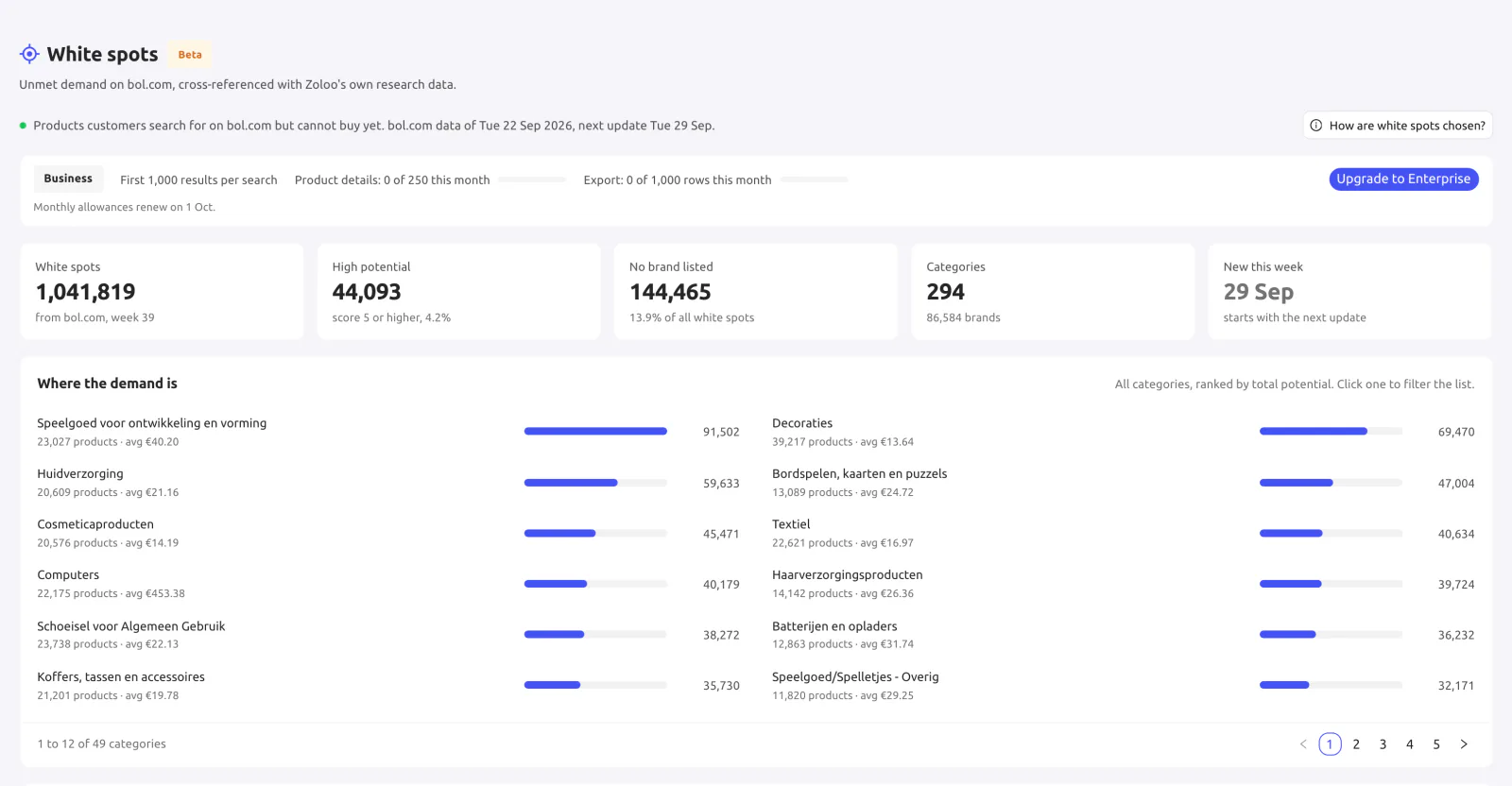
Figures from bol.com's white spots export of 22 September 2026
The basics
White spots are products that shoppers search for on bol.com but cannot buy there yet. The name says it all: blank spots on the map, places where there is demand but no supply.
bol.com puts these products in an export of their own, currently available as an open beta. The list comes out every Tuesday around 08:00 Dutch time and holds about a million products. Zoloo imports every new version, so you always work with the latest list.
The opportunity
With most product ideas you first have to find out whether anyone wants them. With a white spot you already know: shoppers are searching for it on bol.com.
A white spot starts with what shoppers themselves search for on bol.com. You do not have to create a market, you fill a gap that already exists.
Shoppers cannot buy the product on bol.com right now. Whoever offers it fills exactly the gap shoppers run into.
bol.com refreshes the list every week. From Business up, Zoloo shows which products are new this week and how their scores change.
Not sure yet what to sell? Read the guide: what to sell on bol.com
How it works
Zoloo turns the raw export into a list you can search, filter and compare, cross-referenced with Zoloo's own research data. The “Where the demand is” overview ranks every category by total potential, so you see right away where to start.
Search by title, EAN or brand and filter by category, with or without a brand, potential, price, “New this week” and “Sold before”. Every product gets a potential score, and the best 25% also get a tier: top 1%, 5%, 10% or 25%. Zoloo also checks whether the product page on bol.com is live, hidden or new.
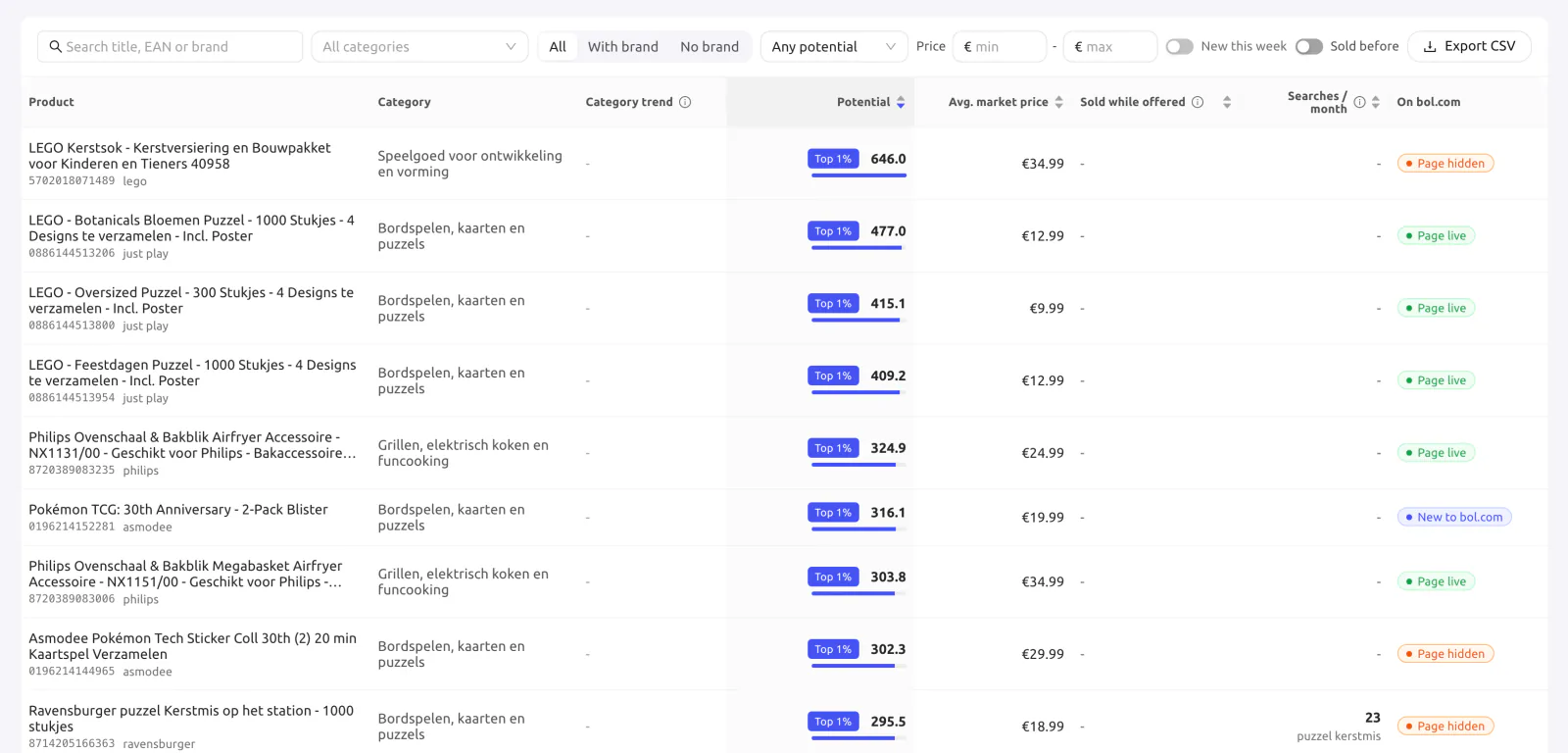
From the Product Tracker: how many units sold per month on the days someone offered the product over the last year, when and at what price it was last offered, and by how many sellers. The numbers are included from Business up.
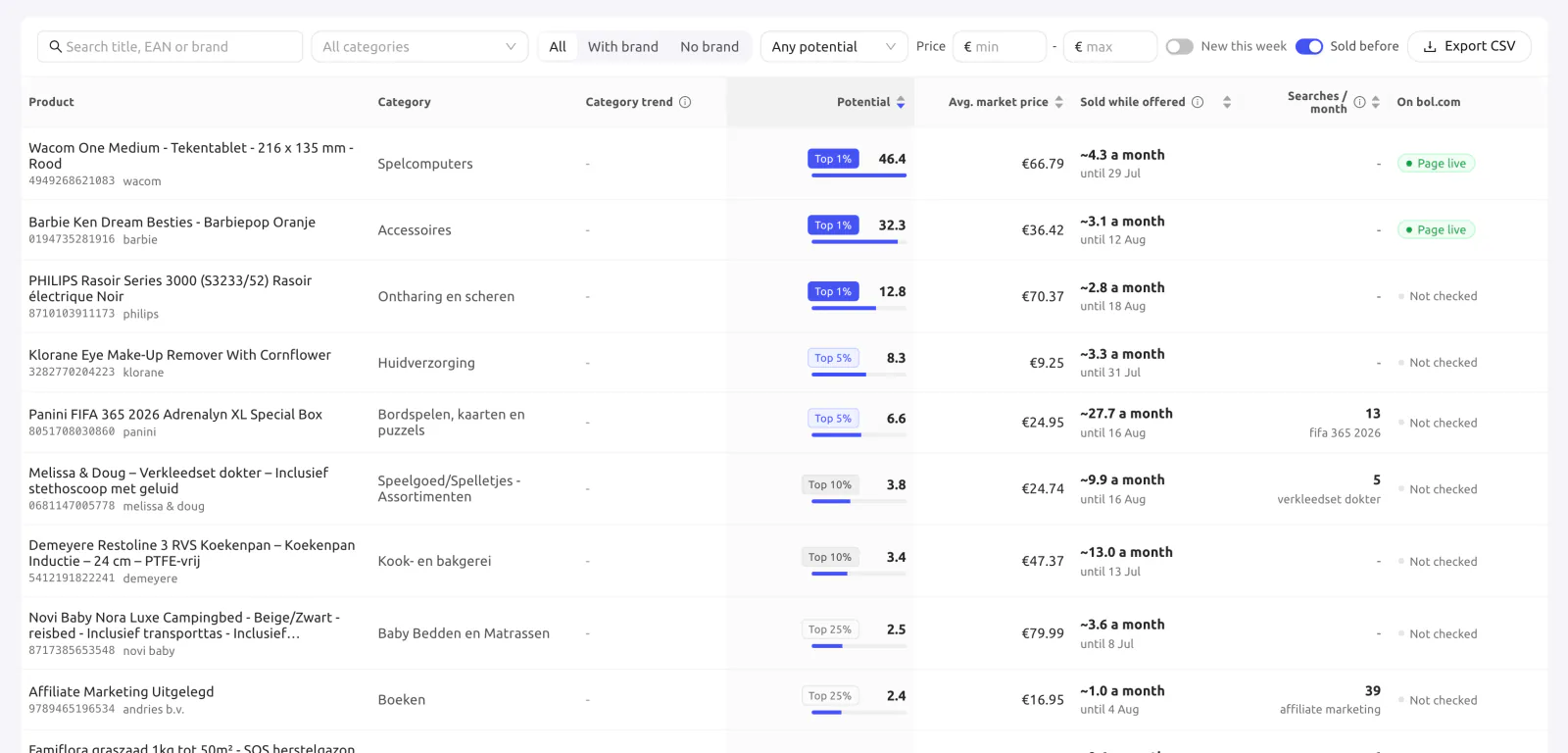
From the Keyword Explorer: the number of monthly bol.com searches for the product's search term, so you can see which white spots have the most demand. The numbers are included from Business up.
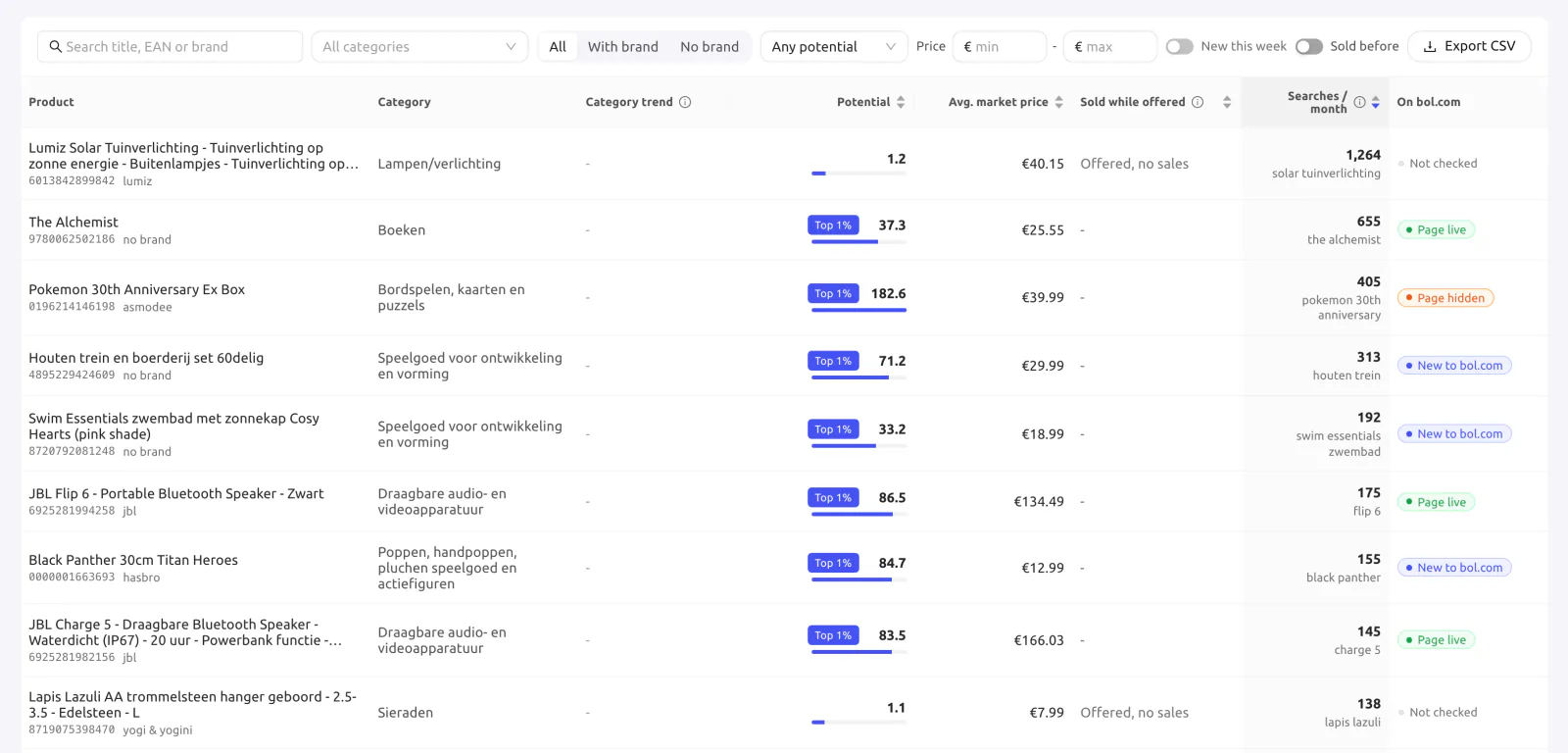
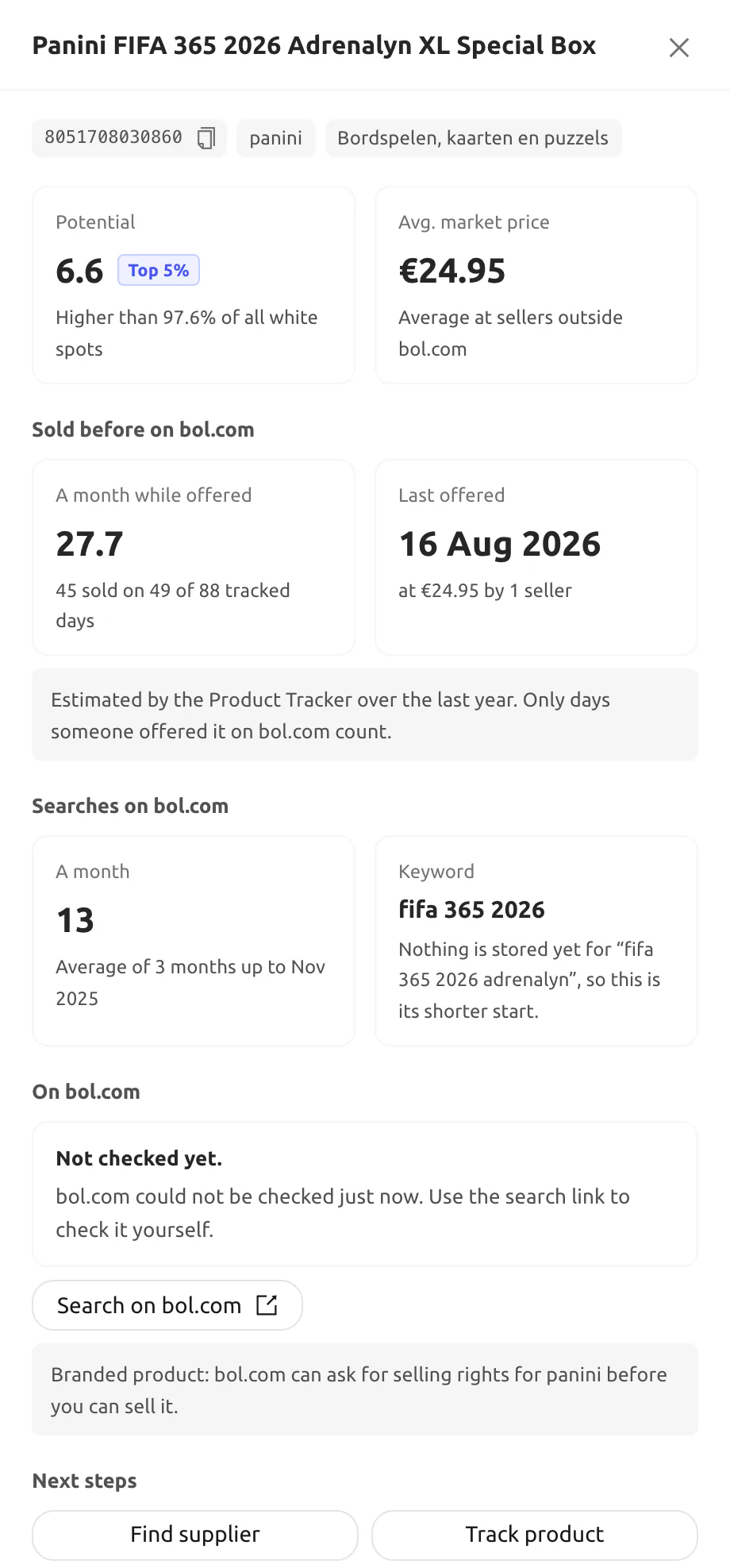
Open a white spot to see it all together: the potential score, how the product sold on bol.com before, its searches and the status of its product page. Then take the next step right away.
Next steps
All connected
The power is in the combination with the data Zoloo already has. You also meet white spots in the places where you already do your research.
A “White spot” tag shows which products are on bol.com's white spots list.
Go to Product DatabaseThe products you track carry the “White spot” tag too. The Product Tracker also supplies the “Sold before” numbers.
Go to Product TrackerThe “White spots for this keyword” card shows the white spots that match your keyword. The Keyword Explorer also supplies the monthly searches.
Go to Keyword ExplorerCategory pages show the white spots that fall within that niche.
Go to Niche Explorer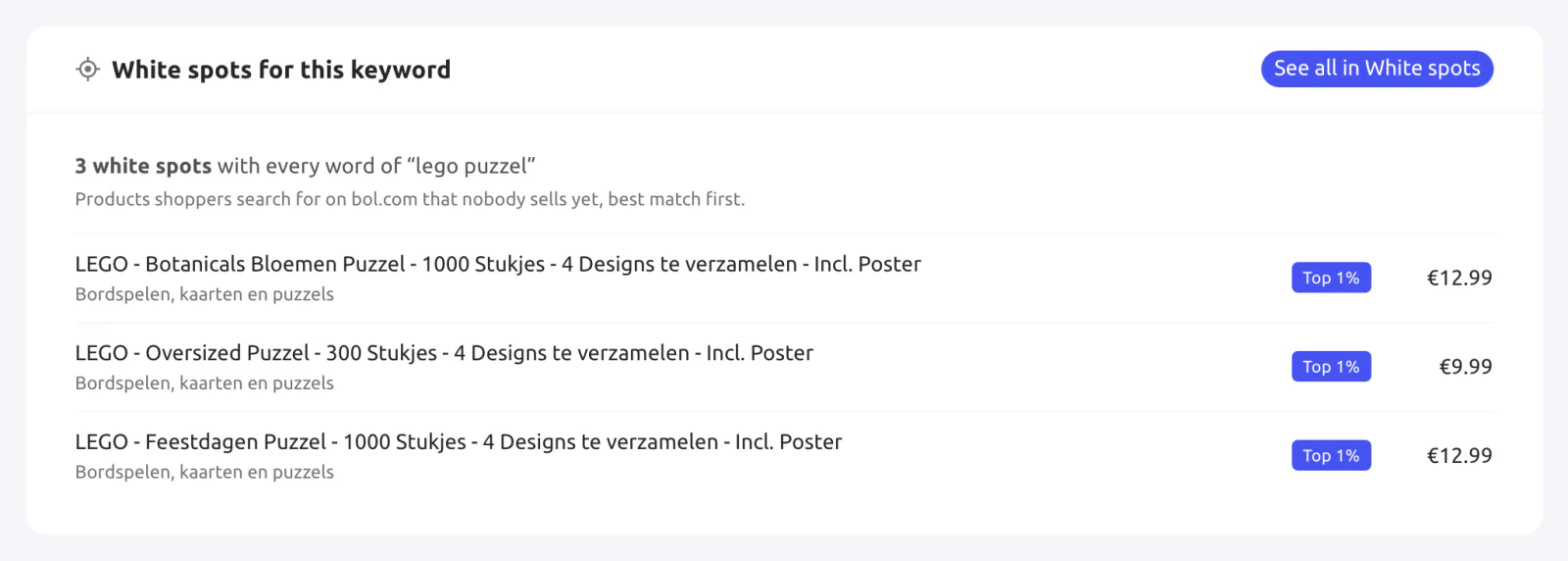
Plans
Your plan sets how many results you see per search, how many product details you open each month and how many rows you export.
| What you get | Starter | Business | Enterprise |
|---|---|---|---|
| Results per search | First 100 | First 1,000 | All |
| Product details per month | 25 | 250 | Unlimited |
| Export rows per month | 100 | 1,000 | 10,000 |
| Sales and search numbers | |||
| New this week and score changes |
Get started
Create an account and pick your plan. White spots is part of every plan.
You find White spots in Zoloo under Product Research.
Pick a category in “Where the demand is” and filter by potential, price and brand.
Open the product details, find a supplier, track the product or export your list as CSV.
Questions
White spots are products that shoppers search for on bol.com but cannot buy there yet. bol.com publishes them in a weekly export that is available as an open beta. Zoloo imports that export and adds its own research data, such as sales history and searches.
bol.com publishes the export every Tuesday around 08:00 Dutch time, and Zoloo imports every new version. It holds about a million products each week: the export of 22 September 2026 listed 1,041,819 products in 294 categories.
Zoloo gives every product a potential score, and the best 25% also get a tier: top 1%, 5%, 10% or 25%. In the export of 22 September 2026, 44,093 products scored 5 or higher. From Business up you also see how a product sold on bol.com before and how often shoppers search for it each month.
No. A white spot shows that shoppers are searching for something they cannot buy on bol.com right now. Whether it works for you also depends on sourcing, margin and your own offer. That is why Zoloo shows the sales history, the searches and the status of the product page on bol.com next to it.
Yes. White spots give you a list of product ideas that shoppers already search for. Then check an idea further with the Product Database, the Keyword Explorer and the Niche Explorer.
White spots is part of every plan. Starter shows the first 100 results per search, 25 product details and 100 export rows per month. Business shows the first 1,000 results, 250 product details and 1,000 export rows per month, plus sales and search numbers and weekly insights such as what is new this week and how scores change. Enterprise shows all results, unlimited product details and 10,000 export rows per month, with the same numbers and insights as Business.
Yes. You can try every Zoloo plan free for 14 days, and white spots is part of every plan.
Try Zoloo free for 14 days and see this week's white spots.
Start your 14-day free trialIncluded in every planView pricing


